RETROBAT Officiel

Emulation station powered for Windows

RetroBat is the ultimate retro gaming frontend for Windows. Configure once, play forever — hundreds of consoles, one beautiful interface.
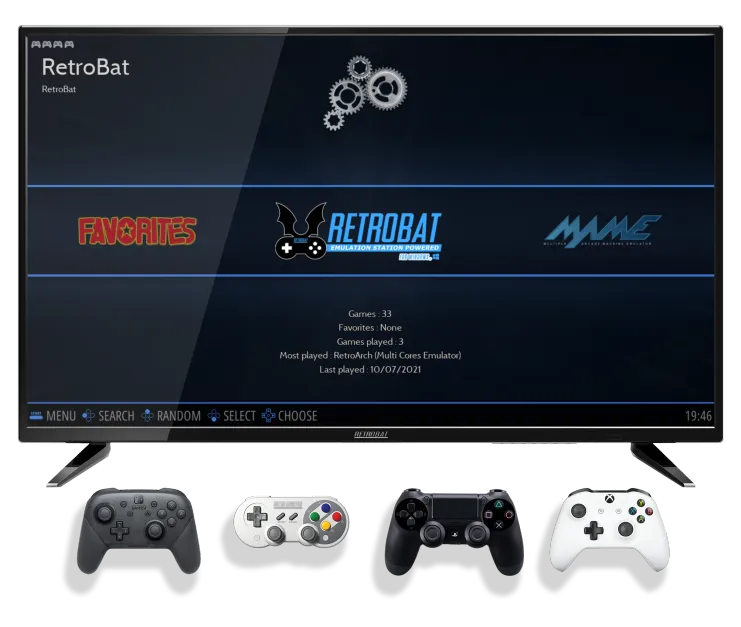

tv RB 1

Gratuit & Open source

Emulation station powered for Windows

To work properly, the following requirements must be met.

OS :
Windows 8.1 64 Bits, Windows 10 64 Bits, Windows 11 64 Bits

Processor :
CPU with SSE2 support. 3 GHz and Dual Core, not older than 2008 is highly recommended.

Graphics :
– If you want to use emulators such as Dolphin, PCSX2, RPCS3 etc.. you need a modern graphics card that supports Direct3D 11.1 / OpenGL 4.4 / Vulkan

Software :
– VC++ Redistributables (both 32 & 64 bits)
– DirectX

Pad :
You need one or more pads (See recommended controllers)
image

RetroBat Advantages

All the benefits of retrogaming in a single front-end.
You will be able to quickly run games from a collection of ROMs and therefore save time to play!

Plug and play

RetroBat was designed to be easy to use, just copy your games in rom folders and play.

Portable

RetroBat is designed to be portable. You can install it on a pc, a hard disk or a usb key.

Create collections

You can create your own game collections directly in RetroBat.

Windows

Works under Windows with all the advantages that this entails.

Customizable

You can download new themes directly from RetroBat.

Community

After reading the WIKI and the FAQ, the community is available on Discord and Facebook

Compatible systems

100+ systems that are ready for you to dive into, and replay the games from your childhood

Free and Open source

RetroBat will ALWAYS be free. It is developed with love by the RetroBat team.

// Systèmes supportés

500+ consoles & ordinateurs

Nintendo NES1983
Super Nintendo1990
SEGA Mega Drive1988
PS PlayStation1994
N64 Nintendo 641996
ATARI Atari 26001977
SATURN Sega Saturn1994
GAME BOY Game Boy1989
Dreamcast Dreamcast1998
PS2 PlayStation 22000
GameCube GameCube2001
PSP PSP2004
Game BoyAdvance Game Boy Advance2001
ARCADE Arcade (MAME)1978+
ScummVM ScummVMPC
Xbox 360 Xbox 3602005
PlayStationPortable PS Vita2011
Wii / Wii U Wii / Wii U2006
Nintendo NES1983
Super Nintendo1990
SEGAMega Drive1988
PSPlayStation1994
N64Nintendo 641996
ATARIAtari 26001977
SATURNSega Saturn1994
GAME BOYGame Boy1989
DreamcastDreamcast1998
PS2PlayStation 22000
GameCubeGameCube2001
PSPPSP2004
Game BoyGame Boy Advance2001
ARCADEArcade (MAME)1978+
ScummVMScummVMPC
Xbox 360Xbox 3602005
PS VitaPS Vita2011
Wii / Wii UWii / Wii U2006

Free & Open source

Ready to play in minutes

Download and extract

Download the RetroBat archive and install it anywhere — your SSD, hard drive or USB flash drive.

Add your ROMs

Place your game files in the corresponding system folders. RetroBat will automatically organize everything with appropriate metadata.

Launch and play

Run RetroBat.exe. Your games will appear instantly with illustrations and descriptions. Plug in a controller and start playing.

Customize everything

Themes, shaders, bezels, netplay, cheats, save states, rewind — all accessible from the game menu.

File Explorer
RetroBat roms
Quick Access
Desktop
Downloads
This PC
roms
emulators
themes
saves
Retrobat.exe
500+ systems supported
nes
284 items
snes
196 items
SEGA
genesis
89 items
psx
43 items
n64
28 items
gba
167 items
PS Windows PowerShell
+
PS C:\RetroBat> .\RetroBat.exe –setup
Scanning NES roms folder…
[OK] Found 284 games
Fetching metadata via ScreenScraper…
[OK] 284/284 scraped successfully
Configuring RetroArch core (Mesen-S)…
[OK] Mesen-S core configured
[>] Launching EmulationStation…
PS C:\RetroBat>
6 items
1 item selected
500+ systems supported